XPEL Product Logos & Brand Assets
IMPORTANT: By downloading you agree to these terms and must follow these rules:
Do not use these images in a way that would confuse someone into thinking that a product or item is made or endorsed by XPEL. Do not use these images in a way that would confuse someone into thinking that a website is run or endorsed by XPEL. Do not alter, stretch, condense, overlay, stylize, or otherwise skew these images in any way.
PNG
Pixel-based image with a transparent background - good for web use or watermarking.
EPS
A vector-based file - resizable, and commonly used for print, vinyl, or custom graphics.

XPEL Logos

ULTIMATE PLUS ™️ Paint Protection Film Logos

STEALTH ™️ Paint Protection Film Logos

TRACWRAP ™️ Temporary Paint Protection Film Logos

PRIME ™️ Automotive Window Film Logos

VISION ™️ Home & Office Window Film Logos

FUSION PLUS ™️ Ceramic Coating Launch Assets

RX ™️ Antimicrobial Film Logos

ARMOR ™️ Paint Protection Film Logos
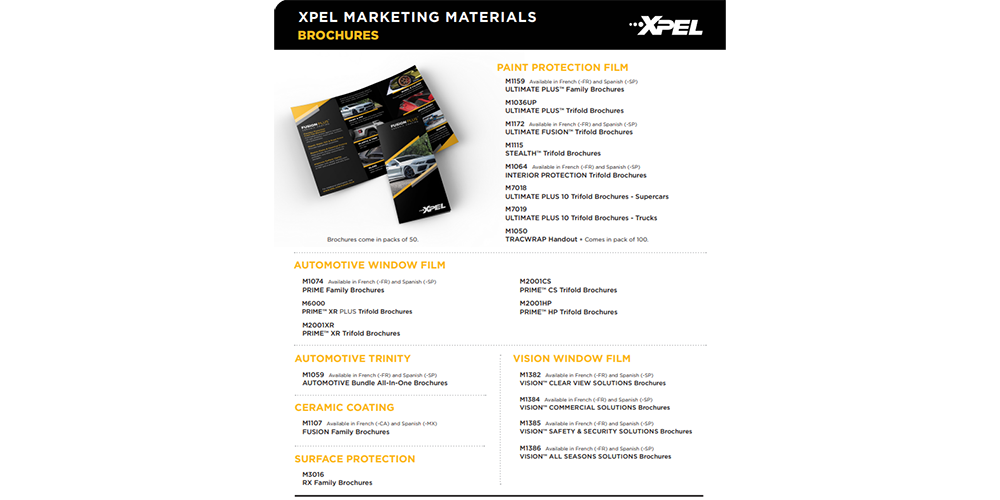
XPEL Marketing Materials PDF
Partnership Logos
BMW Car Club of America
Mercedes-Benz Club of America
PCA Club Racing
AUDI Club
Brand Colors
The official XPEL primary color palette is white, yellow, and black.
XPEL WHITE
CMYK: 0, 0, 0, 0
RGB: 255, 255, 255
Hex: #FFFFFF
XPEL YELLOW
CMYK: 0, 31, 98, 0
RGB: 255, 184, 28
Hex: #F5AF05
Pantone: 1235C
XPEL BLACK
CMYK: 75, 68, 67, 90
RGB: 0, 0, 0
Hex: #000000